Hello, it's Verity here from Pretty Little Button. This week the design team is using reflective heat transfer vinyl. This vinyl is great to use on clothing to increase your visibility in low light conditions. However, I love the look of it normally. It has a pearlized look to it as though it is burnished metal and thought it would look great as a modern style cushion. Even when it does catch the light, it still looks really amazing and such an interesting cushion and currently takes pride and place on my craft room chair!
Faux Pearlised metal bear cushion process:
Insert your design into your design space, for this design see the end of the post of the design ID.
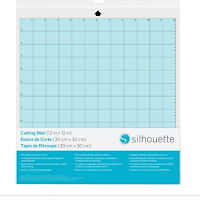
Now the reflective HTV comes in rolls of 9"wide by 12" and you can cut this without your Silhouette mat. To ensure your position is correct, open up the page set up window and adjust the page size using the width and height settings.

Next, open up the transform window. In there, select the rotate tab.

You can either use the green button on the design to rotate the design freely, or you can use some of the pre-programmed rotate options with the rotate tab. This allows you quick and straight rotation to align with your media.

If you still want to work with your design, but the orientation of it is a bit confusing, you can orientate the viewpoint of your design space to continue working with your design. In the page setup window, select the best suit option in the 'Rotate view' section.

Lastly, when you are ready to send, remember you are working with HTV. The software comes up with a friendly reminder asking whether you wish to mirror. If you have already flipped your design prior to this, press send-ad. As I hadn't flipped my design, I selected send mirrored. Remember, if you select this option it will mirror your design, but it will the flip design to cut from the opposite side of the mat, so you need to be aware of where it will cut in relation to where your media will be in the machine.

Once cut, weed all the excess vinyl to leave the bears on the backing sheet. I used a hot iron on cotton setting to heat set the vinyl. I didn't end up using the writing in the end as I loved it just with the bears.
Faux Pearlised metal bear cushion photos:


If this has inspired you to try this out, please post below. I would love to see it!
Until next time,
Verity

Profile | Pretty Little Button Blog | Instagram | Facebook
DESIGNS USED:
MAMA BEAR by Tommy and Tilly Paper Design, Design ID #289771
PRODUCTS USED: